 837bc2d51d
* FaceSwap 3 (#1515)
* Update extract pipeline
* Update requirements + setup for nvidia
* Remove allow-growth option
* tf.keras to keras updates
* lib.model.losses - Port + fix all loss functions for Keras3
* lib.model - port initializers, layers. normalization to Keras3
* lib.model.autoclip to Keras 3
* Update mixed precision layer storage
* model file to .keras format
* Restructure nn_blocks to initialize layers in __init__
* Tensorboard
  - Trainer: Add Torch compatible Tensorboard callbacks
  - GUI event reader remove TF dependency
* Loss logging
  - Flush TB logs on save
  - Replace TB live iterator for GUI
* Backup models on total loss drop rather than per side
* Update all models to Keras3 Compat
* Remove lib.model.session
* Update clip ViT to Keras 3
* plugins.extract.mask.unet-dfl - Fix for Keras3/Torch backend
* Port AdaBelief to Keras 3
* setup.py:
  - Add --dev flag for dev tool install
* Fix Keras 3 syntax
* Fix LR Finder for Keras 3
* Fix mixed precision switching for Keras  3
* Add more optimizers + open up config setting
* train: Remove updating FS1 weights to FS2 models
* Alignments: Remove support for legacy .json files
* tools.model:
  - Remove TF Saved Format saving
  - Fix Backup/Restore + Nan-Scan
* Fix inference model creation for Keras 3
* Preview tool: Fix for Keras3
* setup.py: Configure keras backend
* train: Migration of FS2 models to FS3
* Training: Default coverage to 100%
* Remove DirectML backend
* Update setup for MacOS
* GUI: Force line reading to UTF-8
* Remove redundant Tensorflow references
* Remove redundant code
* Legacy model loading: Fix TFLamdaOp scalar ops and DepthwiseConv2D
* Add vertical offset option for training
* Github actions: Add more python versions
* Add python version to workflow names
* Github workflow: Exclude Python 3.12 for macOS
* Implement custom training loop
* Fs3 - Add RTX5xxx and ROCm 6.1-6.4 support (#1511)
* setup.py: Add Cuda/ROCm version select options
* bump minimum python version to 3.11
* Switch from setup.cgf to pyproject.toml
* Documentation: Update all docs to use automodapi
* Allow sysinfo to run with missing packages + correctly install tk under Linux
* Bugfix: dot naming convention in clip models
* lib.config: Centralise globally rather than passing as object
- Add torch DataParallel for multi-gpu training
  - GUI: Group switches together when generating cli args
  - CLI: Remove deprecated multi-character argparse args
  - Refactor:
    - Centralise tensorboard reading/writing + unit tests
    - Create trainer plugin interfaces + add original + distributed
* Update installers
12 KiB
Executable File
deepfakes_faceswap
Important information for Patreon and PayPal supporters. Please see this forum post: https://forum.faceswap.dev/viewtopic.php?f=14&t=3120

FaceSwap is a tool that utilizes deep learning to recognize and swap faces in pictures and videos.




Emma Stone/Scarlett Johansson FaceSwap using the Phaze-A model
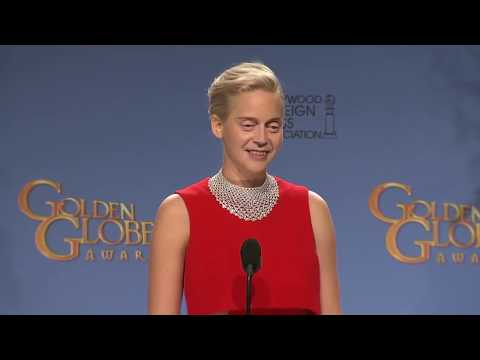
Jennifer Lawrence/Steve Buscemi FaceSwap using the Villain model

Make sure you check out INSTALL.md before getting started.
- deepfakes_faceswap
- Manifesto
- How To setup and run the project
- Overview
- General notes:
- Help I need support!
- Donate
- How to contribute
- About machine learning
Manifesto
FaceSwap has ethical uses.
When faceswapping was first developed and published, the technology was groundbreaking, it was a huge step in AI development. It was also completely ignored outside of academia because the code was confusing and fragmentary. It required a thorough understanding of complicated AI techniques and took a lot of effort to figure it out. Until one individual brought it together into a single, cohesive collection. It ran, it worked, and as is so often the way with new technology emerging on the internet, it was immediately used to create inappropriate content. Despite the inappropriate uses the software was given originally, it was the first AI code that anyone could download, run and learn by experimentation without having a Ph.D. in math, computer theory, psychology, and more. Before "deepfakes" these techniques were like black magic, only practiced by those who could understand all of the inner workings as described in esoteric and endlessly complicated books and papers.
"Deepfakes" changed all that and anyone could participate in AI development. To us, developers, the release of this code opened up a fantastic learning opportunity. It allowed us to build on ideas developed by others, collaborate with a variety of skilled coders, experiment with AI whilst learning new skills and ultimately contribute towards an emerging technology which will only see more mainstream use as it progresses.
Are there some out there doing horrible things with similar software? Yes. And because of this, the developers have been following strict ethical standards. Many of us don't even use it to create videos, we just tinker with the code to see what it does. Sadly, the media concentrates only on the unethical uses of this software. That is, unfortunately, the nature of how it was first exposed to the public, but it is not representative of why it was created, how we use it now, or what we see in its future. Like any technology, it can be used for good or it can be abused. It is our intention to develop FaceSwap in a way that its potential for abuse is minimized whilst maximizing its potential as a tool for learning, experimenting and, yes, for legitimate faceswapping.
We are not trying to denigrate celebrities or to demean anyone. We are programmers, we are engineers, we are Hollywood VFX artists, we are activists, we are hobbyists, we are human beings. To this end, we feel that it's time to come out with a standard statement of what this software is and isn't as far as us developers are concerned.
- FaceSwap is not for creating inappropriate content.
- FaceSwap is not for changing faces without consent or with the intent of hiding its use.
- FaceSwap is not for any illicit, unethical, or questionable purposes.
- FaceSwap exists to experiment and discover AI techniques, for social or political commentary, for movies, and for any number of ethical and reasonable uses.
We are very troubled by the fact that FaceSwap can be used for unethical and disreputable things. However, we support the development of tools and techniques that can be used ethically as well as provide education and experience in AI for anyone who wants to learn it hands-on. We will take a zero tolerance approach to anyone using this software for any unethical purposes and will actively discourage any such uses.
How To setup and run the project
FaceSwap is a Python program that will run on multiple Operating Systems including Windows, Linux, and MacOS.
See INSTALL.md for full installation instructions. You will need a modern GPU with CUDA support for best performance. Many AMD GPUs are supported through ROCm (Linux).
Overview
The project has multiple entry points. You will have to:
- Gather photos and/or videos
- Extract faces from your raw photos
- Train a model on the faces extracted from the photos/videos
- Convert your sources with the model
Check out USAGE.md for more detailed instructions.
Extract
From your setup folder, run python faceswap.py extract. This will take photos from src folder and extract faces into extract folder.
Train
From your setup folder, run python faceswap.py train. This will take photos from two folders containing pictures of both faces and train a model that will be saved inside the models folder.
Convert
From your setup folder, run python faceswap.py convert. This will take photos from original folder and apply new faces into modified folder.
GUI
Alternatively, you can run the GUI by running python faceswap.py gui
General notes:
- All of the scripts mentioned have
-h/--helpoptions with arguments that they will accept. You're smart, you can figure out how this works, right?!
NB: there is a conversion tool for video. This can be accessed by running python tools.py effmpeg -h. Alternatively, you can use ffmpeg to convert video into photos, process images, and convert images back to the video.
Some tips:
Reusing existing models will train much faster than starting from nothing. If there is not enough training data, start with someone who looks similar, then switch the data.
Help I need support!
Discord Server
Your best bet is to join the FaceSwap Discord server where there are plenty of users willing to help. Please note that, like this repo, this is a SFW Server!
FaceSwap Forum
Alternatively, you can post questions in the FaceSwap Forum. Please do not post general support questions in this repo as they are liable to be deleted without response.
Donate
The developers work tirelessly to improve and develop FaceSwap. Many hours have been put in to provide the software as it is today, but this is an extremely time-consuming process with no financial reward. If you enjoy using the software, please consider donating to the devs, so they can spend more time implementing improvements.
Patreon
The best way to support us is through our Patreon page:
One time Donations
Alternatively you can give a one off donation to any of our Devs:
@torzdf
There is very little FaceSwap code that hasn't been touched by torzdf. He is responsible for implementing the GUI, FAN aligner, MTCNN detector and porting the Villain, DFL-H128 and DFaker models to FaceSwap, as well as significantly improving many areas of the code.
Bitcoin: bc1qpm22suz59ylzk0j7qk5e4c7cnkjmve2rmtrnc6
Ethereum: 0xd3e954dC241B87C4E8E1A801ada485DC1d530F01
Monero: 45dLrtQZ2pkHizBpt3P3yyJKkhcFHnhfNYPMSnz3yVEbdWm3Hj6Kr5TgmGAn3Far8LVaQf1th2n3DJVTRkfeB5ZkHxWozSX
Paypal: 
@andenixa
Creator of the Unbalanced and OHR models, as well as expanding various capabilities within the training process. Andenixa is currently working on new models and will take requests for donations.
Paypal:
How to contribute
For people interested in the generative models
- Go to the 'faceswap-model' to discuss/suggest/commit alternatives to the current algorithm.
For devs
- Read this README entirely
- Fork the repo
- Play with it
- Check issues with the 'dev' tag
- For devs more interested in computer vision and openCV, look at issues with the 'opencv' tag. Also feel free to add your own alternatives/improvements
For non-dev advanced users
- Read this README entirely
- Clone the repo
- Play with it
- Check issues with the 'advuser' tag
- Also go to the 'faceswap Forum' and help others.
For end-users
- Get the code here and play with it if you can
- You can also go to the faceswap Forum and help or get help from others.
- Be patient. This is a relatively new technology for developers as well. Much effort is already being put into making this program easy to use for the average user. It just takes time!
- Notice Any issue related to running the code has to be opened in the faceswap Forum!
About machine learning
How does a computer know how to recognize/shape faces? How does machine learning work? What is a neural network?
It's complicated. Here's a good video that makes the process understandable:
Here's a slightly more in depth video that tries to explain the basic functioning of a neural network:
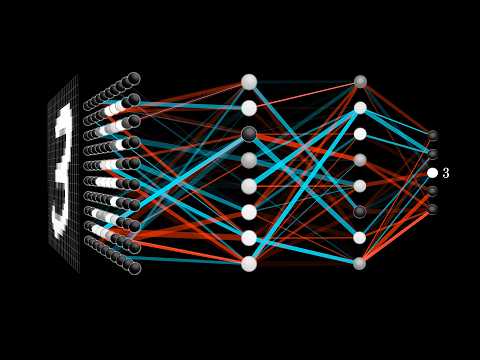
tl;dr: training data + trial and error